


Most of the large-scale enterprises today are using SAP for financial reporting, inventory management, order processing, and customer service. These are crucial business functions that are complicated, and a small error can lead to financial loss, delayed operation, and frustrated customers. Tools for SAP testing services ensure these systems run seamlessly by validating operations, data accuracy, and integration.
As more and more enterprises are investing in SAP, they are validating that their apps are error-free and stable. SAP apps are the backbone of large enterprises, driving necessary business functions such as supply chain and finance. With the rapid adoption, organizations demand faster release, accuracy, and zero downtime. Since manual testing can’t manage the challenges of modern SAP environments, SAP testing services have become a crucial virtual transformation strategy. The SAP market is aiming to peak at $103.73 billion by 2035.
A straightforward SAP testing plan helps to identify errors that cause the system to hamper user experience. Catching multiple issues early saves time and money. There are various options ranging from SAP native tools to 3rd-party solutions. SAP systems have evolved significantly over the past decades, and if you want to make your app error-free, use the tools discussed below in testing. We’ll also discuss the pros, cons, features, and best use cases of tools for SAP test automation services. Before all of these, first understand why these testing tools matter in 2026.
Why SAP Testing Tools Matter in 2026
As the SAP environment becomes complicated in 2026, firms are facing multiple challenges to manage app quality and performance. Advanced SAP landscapes often involve multiple modules, cloud apps, 3rd-party integrations, and frequent software upgrades. SAP manual testing tools failed to navigate these challenges and caused inefficiency.
SAP testing solutions support the validation process, limit QA time, and drive accuracy across crucial business operations. SAP testing tools in 2026 monitor errors early, limit operational errors, and ensure a seamless user experience. These tools are popular for supporting frequent testing, compliance, fast release cycles, and digital transformation.
❒ The Complexity of Modern SAP Landscapes
➥ Multiple SAP modules and integrations
Advanced firms depend on the various SAP modules like S/4HANA, SuccessFactors, Ariba & BW/4HANA, all combined with 3rd-party apps. A slight change can hamper firm operations. SAP testing tools support validating these interconnected systems, verifying integration functions ideally. It limits the risk of errors that could hamper crucial business operations.
➥ Cloud and hybrid deployments
Most organizations now operate cloud & hybrid SAP modules. Managing quality across these various infrastructures can be tough because of the wide configurations, integration, and release models. SAP testing companies offer consistent validation across environments, supporting firms in managing security, performance, and reliability while supporting ongoing cloud adoption.
➥ Frequent updates and releases
SAP frequently introduces updates, gaps, and feature upgrades, especially within cloud-based apps. These updates deliver new capabilities, but they can also introduce unexpected errors into current workflows. SAP testing tools for automation allow firms to validate crucial organizational processes quickly after release. It reduces downtime and ensures the updates don’t negatively hamper workflows.
❒ Benefits of Using SAP Testing Tools
➥ Faster testing cycles
SAP performance testing tools automate repetitive and time-consuming validation tasks, enabling the team to execute tests faster than manual methods. Automated QA drives release schedules, limits project timelines, and allows firms to respond quickly to varying organizational requirements. Faster QA cycles support productivity while managing software performance.
➥ Reduced manual effort
Manual QA demands significant resources and can be prone to manual mistakes. SAP testing tools automate test development and execution. With the SAP automation test provider, businesses can limit the workload on the QA team and organization users. By limiting repetitive tasks, firms can allocate resources effectively. They can focus on strategic initiatives and enhance overall QA efficiency across SAP apps.
➥ Improved test coverage
Automated SAP testing allows firms to validate a vast range of organizational processes, user scenarios, and system configurations more effectively than manual QA alone. Improved test coverage allows monitoring errors earlier and ensures crucial operations perform as expected. The comprehensive testing limits the chances of development errors while enhancing software quality & user experience.
➥ Lower business risk
Failure in the SAP system can hamper operations, impact revenue, and affect customer satisfaction. SAP testing tool helps to identify errors before release, limits the risk of errors and system outages. By validating business-critical processes consistently, firms can release updates with better confidence. Thanks to SAP testing tools for safeguarding operational continuity and business performance.
➥ Better compliance and audit readiness
Most of the industries operate under strict regulatory & compliance requirements that demand accurate documents and system controls. The SAP testing tool operates detailed test records, execution logs, and audit trails that demonstrate compliance efforts. These capabilities streamline audit preparation, drive transparency, and support firms to match governance standards while limiting the risk of compliance errors.

Key Criteria for Evaluating SAP Testing Tools
❒ Automation Capabilities
Automation is the most important factor to look for when determining SAP testing tools. Firms should measure whether a platform supports both scripted & scriptless automation, depending on team expertise and project requirements. Scriptless solutions allow faster adoption by organization users, whereas scripted tools allow improved flexibility for complicated testing scenarios. Advanced platforms also integrate AI-powered test creation, support teams to generate, manage, and optimize test cases. The following capabilities limit manual effort, drive testing cycle, and QA efficiency across SAP environments.
❒ SAP Technology Support
The reliable SAP testing tools must support the range of SAP technologies used within the firm. This involves SAP S/4 HANA, SAP Fiori, GUI, SAP SuccessFactors, SAP Ariba, and SAP BW/4HANA. Tools must be compatible with current solutions. Compatibility of the tool ensures that testing can be performed consistently across organizational workflows. Firms undergoing digital transformation must prioritize such tools to manage both legacy and advanced SAP environments. Having such tools limits tool fragmentation and streamlines the QA process.
❒ Integration and DevOps Compatibility
Advanced SAP testing tools must integrate seamlessly with current development and deployment ecosystems. Compatibility with CI/CD pipelines enables automated QA to become part of the software delivery process. Integrating with test management platforms allows teams to organize test assets and track execution progress efficiently. Support for error tracking tools ensures issues are documented and resolved quickly. Strong integration capabilities enhance collaboration between development, QA, and operations teams while supporting frequent delivery initiatives.
❒ Ease of Use
This component plays a strong role in the successful adoption of SAP testing tools. Firms must evaluate the platform’s learning curve and determine whether both technical and non-technical users can access it easily. No-code & low-code solutions make automation accessible to organization users, limiting reliance on specialized programming skills. Choose tools that are loaded with a user-friendly interface, resources to learn, and an intuitive dashboard. It helps the team to create and manage tests efficiently. Smooth adoption led to quick implementation, enhanced productivity, and testing coverage.
❒ Reporting and Analytics
When you pick SAP application testing solutions, make sure they are able to deliver robust reporting and analytics. Delivering reports helps form valuable metrics for testing performance and app quality. Top SAP app testing solutions offer test execution dashboards and coverage. The tool must have advanced analytics features, allowing the team to monitor and solve errors faster. Performance metrics support assessing testing efficiency and monitoring trends. Comprehensive reports empower decision-makers with actionable data, support high-quality SAP releases and improvements across the QA process.
Top SAP Testing Tools in 2026
❒ Worksoft Certify


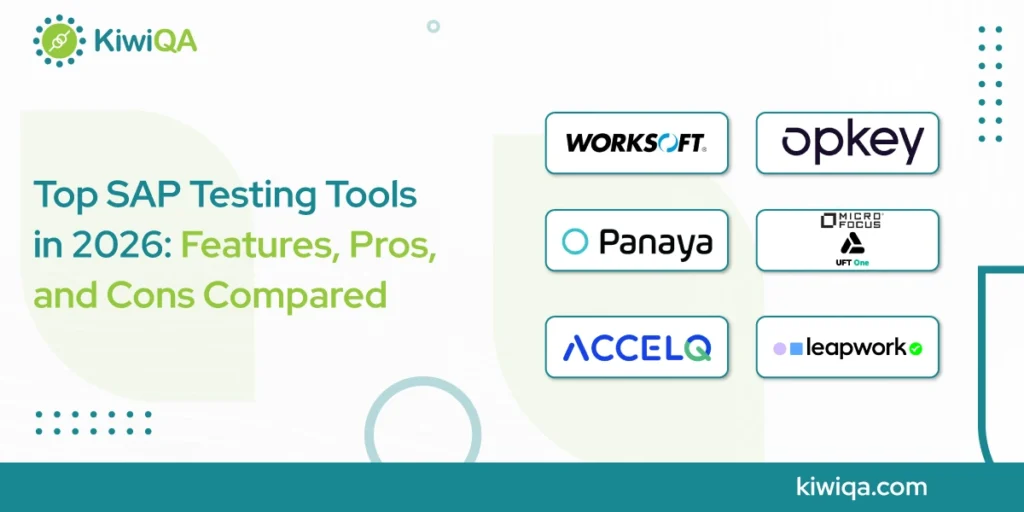
One of the most well-known SAP testing programs in 2026 is Worksoft Certify, which was created especially for enterprise-grade SAP settings. It lessens the need for human testing while enabling businesses to automate intricate business operations across SAP apps. The platform is especially helpful for companies managing large-scale SAP installs because it concentrates on business process validation rather than individual test cases.
Worksoft assists teams in maintaining application quality during updates, upgrades, and digital transformation projects by supporting continuous testing programs. Business analysts and non-technical stakeholders can engage in test automation because of its user-friendly interface, which enhances communication between business and IT teams.
➥ Key Features
• End-to-end business process QA
• SAP-driven automation capabilities
• Frequent QA support
• Codeless test creation & execution
• Enterprise-based regression testing
➥ Pros
• Compatible with the SAP ecosystem
• User-friendly interface
• Reliable regression QA
• Support large-scale SAP release
• Limit manual QA efforts
➥ Cons
• High licensing cost
• Enterprise-based implementation
• Limited flexibility
• Initial setup requires planning
• Excessive for small organizations
➥ Best For
Big businesses with vast SAP environments need accurate regression testing for intricate digital transformation projects. This tool allows strong business process automation and continuous testing capabilities.
❒ Opkey

One of the top SAP automation testing platforms that assists companies in accelerating their digital transformation projects is Opkey. Opkey is a reliable source for SAP automation tests and provides a no-code environment that makes it easier to create and run tests for SAP applications. The platform dramatically lowers testing effort and maintenance expenses by using artificial intelligence to automatically create and maintain test cases.
Organizations may swiftly adopt automated testing techniques using pre-built accelerators for SAP S/4HANA, SuccessFactors, Ariba, and other SAP products. Opkey is especially helpful for businesses that want to quickly implement automation without needing a lot of technical knowledge. It is a top option for companies updating their SAP testing procedures while enhancing release quality and deployment speed. Because of its cloud-first methodology and intelligent test management features, the SAP automation test provider uses them.
➥ Key Features
• No-code automation platform for SAP automation test provider
• AI-based test generation
• Pre-designed SAP accelerators
• Automated test maintenance
• Cloud-driven QA environment
➥ Pros
• Frequent implementation
• Less coding required
• Strong SAP cloud app support
• AI limits maintenance effort
• User-friendly automation
➥ Cons
• Advanced customization required
• Some features require a price to access
• Learning curve for complex workflows
• Enterprise features can raise costs
• Limited flexibility
➥ Best For
The companies looking for scalable testing capabilities across cloud-based SAP applications, quick SAP test automation adoption with no coding, and improved ROI can choose this.
❒ Panaya Test Dynamix

A specialized SAP testing system, Panaya Test Dynamix, focuses on change effect analysis and intelligent test administration. The platform assists companies in determining which business processes are impacted by SAP modifications, upgrades, or customizations rather than focusing only on automation. Teams may prioritize important areas and cut down on pointless testing with this risk-based testing methodology.
Panaya is frequently utilized in S/4HANA transformation projects, improvement pack deployments, and SAP migrations. The platform helps businesses lower project risks while increasing testing efficiency by offering practical insights into system modifications and their possible effects. Teams can more efficiently deploy resources and guarantee business continuity during significant SAP migrations thanks to its analytics-driven methodology.
➥ Key Features
• Change impact analysis
• Risk-based testing practice
• Automated test management
• SAP upgrade assessment tools
• Advanced analytics & reporting
➥ Pros
• Limits unnecessary QA activities
• Upgrade project planning
• Strong risk management approach
• Actionable QA insights
• Optimize QA resources
➥ Cons
• Less focused on full automation
• May demand additional QA tools
• Limited no-code automation capabilities
• Focused on SAP changes
• Not good for standalone automation needs
➥ Best For
Businesses working on SAP upgrades, migrations, or transformation projects can use this tool. This tool allows effective testing resource management, impact monitoring & risk-driven QA practice.
❒ ACCELQ

ACCELQ is a cloud-native test automation tool that streamlines SAP quality assurance procedures by integrating artificial intelligence and no-code testing. Teams without a lot of programming experience can create, run, and maintain automated tests thanks to the platform. The AI-powered features of ACCELQ speed up test development cycles while lowering script maintenance. It is ideal for Agile and DevOps situations where quick releases and continuous validation are crucial because of its support for continuous testing.
Organizations may incorporate testing straight into development processes thanks to the platform’s seamless integration with well-known CI/CD solutions. ACCELQ is a flexible choice for companies overseeing various technology ecosystems since it offers more extensive enterprise testing capabilities in addition to its efficient support for SAP applications. Businesses may increase testing productivity while lowering operational complexity because of its scalability and cloud-based design.
➥ Key Features
• Cloud-native automation platform
• AI-driven test design
• Frequent testing support
• No-code automation development
• CI/CD pipeline
➥ Pros
• Quick test creation process
• Agile & DevOps support
• Scalable cloud architecture
• Limited test maintenance effort
• Minimal tech expertise required
➥ Cons
• Pricing is high
• Advanced features accessibility requires training
• Depend on cloud infrastructure
• Lack of SAP abilities
• Subscription cost is high
➥ Best For
Scalable, cloud-based test automation with AI-driven capabilities can be obtained through this tool. It allows quick deployment assistance and effective continuous testing across business apps.
❒ Micro Focus UFT One (OpenText UFT One)

One of the most well-known enterprise testing platforms on the market in 2026 is OpenText UFT One. It offers extensive functional and regression testing capabilities to users. The platform is a flexible testing solution because it supports SAP GUI, SAP Fiori, online applications, desktop software, APIs, and other corporate technologies.
The robust object identification features of UFT One are well-known for their ability to automate intricate human interactions and corporate processes. Because of its extensive application coverage and advanced feature set, UFT One is frequently selected by organizations with a variety of technology stacks. For large-scale business testing initiatives, the platform offers excellent flexibility and reliability.
➥ Key Features
• Functional & regression QA
• SAP GUI and Fiori support
• Broad enterprise app coverage
• Multi-technology automation support
➥ Pros
• Proven & trusted platform
• Extensive technology compatibility
• Strong automation support
• Support complex enterprise environments
• Comprehensive testing support
➥ Cons
• High maintenance requirements
• Costly licensing
• Lack of skilled resources
• Setup is time-consuming
➥ Best For
Businesses that want to successfully manage large application ecosystems require extensive cross-platform testing capabilities can choose this, which allows vast technical support and an advanced automation solution.
❒ Leapwork

Leapwork is a visual SAP data testing tool that enables both expert and non-technical users to access SAP testing. Teams may create automated workflows without writing code because of its drag-and-drop interface, which lowers adoption challenges for automation. This tool allows firms to end-to-end automation processes by supporting SAP applications in addition to online, desktop, and enterprise platforms.
Leapwork is especially appealing for business-led testing projects because of its visual approach, which makes test creation, maintenance, and troubleshooting easier. Additionally, the platform supports modern software delivery methods by integrating with DevOps pipelines and enterprise technologies. Leapwork’s ease of use and quick installation features rank it as a popular tool for firms seeking to swiftly enhance automation coverage.
➥ Key Features
• Visual automation building
• No code test design
• Enterprise system integration
• Drag & drop interface
• Cross-platform automation support
➥ Pros
• Easy to use for a non-tech team
• Rapid automation development
• Intuitive workflows
• Limited challenges in maintenance
• Quick onboarding
➥ Cons
• Limited option for customization
• Enterprise pricing modules
• Less suitable for complex projects
• Lack of advanced features
• Some integrations require configuration
➥ Best For
Teams that prioritize visual process management, simplicity, and quick automation deployment can choose them. This tool allows non-technical people to actively engage in SAP testing projects.
How to Choose the Right SAP Testing Tool
❒ For Large Enterprises
Large businesses usually need SAP testing tools that can handle intricate business procedures, sizable user bases, and vast SAP ecosystems. Because they offer enterprise-grade automation, thorough test management, and robust SAP connectivity, solutions like Tricentis Tosca and Worksoft Certify are well-liked options.
These platforms assist companies in effectively managing digital transformation projects, continuous testing programs, and extensive regression testing. Scalability, governance features, integration capabilities, and compatibility for numerous SAP applications should all be taken into account by organizations when assessing tools. A strong testing infrastructure can guarantee uniform application quality throughout international operations while drastically lowering risks.
❒ For SAP S/4HANA Migration Projects
To reduce company impact and guarantee smooth transitions, SAP S/4HANA migration initiatives need specialized testing skills. Leading SAP testing solutions like Panaya and Opkey provide capabilities made especially for migration and upgrade projects. While Opkey’s AI-powered automation speeds up test execution and maintenance, Panaya’s change impact analysis assists organizations in identifying impacted business processes and prioritizing testing efforts.
Teams may increase project productivity, lower migration risks, and test crucial workflows with the help of these technologies. Solutions that facilitate risk-based testing, automated validation, and thorough coverage throughout the S/4HANA migration process should be given top priority by organizations.
❒ For Budget-Conscious Teams
Businesses with limited testing budgets frequently search for less expensive options that deliver accurate results. Because they provide flexibility for customized testing requirements and do away with license expenses, Selenium and other open-source frameworks continue to be attractive choices. When used by knowledgeable development and quality assurance teams, these tools can efficiently assist SAP testing.
Open-source alternatives, however, could necessitate more work for framework creation, upkeep, and integration. Organizations on a tight budget should assess the whole cost of ownership, which includes the need for support and training. Optimizing testing efficiency without going over budget requires striking the correct balance between functionality and cost.
❒ For Non-Technical Users
Tools made for non-technical users should be taken into consideration by businesses looking to increase involvement in testing operations. Without knowing how to program, business analysts may build and manage automated tests using platforms like Opkey, Leapwork, and Tricentis Tosca that offer no-code or low-code capabilities.
Through visual interfaces, drag-and-drop workflows, and AI-assisted features, these user-friendly solutions streamline automation. Organizations can boost test coverage and enhance business and IT team collaboration by lowering technical hurdles. Choosing an easy-to-use platform enables more stakeholders to participate in quality assurance projects and speeds up acceptance.
❒ For CI/CD and DevOps Adoption
SAP testing technologies that facilitate continuous testing and smoothly interact with CI/CD pipelines are essential for organizations adopting DevOps methods. Because they offer automation features that complement contemporary software delivery procedures, Tricentis Tosca, UFT One, and Opkey are excellent choices.
These solutions help teams find problems early and maintain release quality by enabling automated test execution during the development, build, and deployment phases. Efficiency is further increased through integration with DevOps technologies, test management systems, and defect tracking platforms. To achieve faster and more dependable SAP releases, organizations should prioritize scalability, automation maturity, and integration support when choosing a solution.
Emerging SAP Testing Trends in 2026
❒ AI-Driven Test Automation
In 2026, firms are adopting AI-based testing tools. These SAP automated testing tools are responsible for limiting manual intervention and enhancing test reliability. Self-healing scripts automatically track app changes and update test cases without demanding extensive maintenance.
It avoids the test failures caused by UI changes. Advanced test generations use ML to create and optimize test scenarios based on organizational processes and user behavior. The following potential allows the team to drive test coverage, release cycles, and limit operational costs while managing app quality across SAP environments.
❒ Continuous Testing in DevOps
Continuous testing is now a crucial part of DevOps strategies for SAP applications. As companies speed up software delivery, testing must take place throughout the development lifecycle rather than at the end. Shift-left testing allows teams to find and fix defects earlier, which lowers costs and minimizes project delays.
Automated quality gates make sure that code changes meet predetermined quality standards before moving on to deployment pipelines. By incorporating testing into CI/CD workflows, companies can continuously validate SAP applications, boost release confidence, and facilitate faster innovation while maintaining stability and performance across business-critical systems.
❒ Cloud SAP Application Testing
The need for specialized cloud testing techniques is driven by the cloud-driven SAP solutions. Testing tools that can verify performance, functionality, security, and integrations in dynamic cloud settings are necessary for organizations using SAP S/4HANA Cloud, SAP SuccessFactors, and SAP Ariba. The goal of cloud SAP application testing is to facilitate regular updates and releases while guaranteeing smooth user experiences across distributed systems.
By offering automated validation for cloud operations, modern testing systems assist businesses in lowering the risks related to configuration changes and upgrades. As companies become more dependent on SAP’s cloud environment and digital transformation projects, this trend keeps getting stronger.
❒ Test Data Management Automation
Test data management automation is becoming important as SAP environments rise in challenges and regulatory compliance becomes stricter. Firms are adopting automated solutions to generate, manage, and maintain quality test data without relying on production datasets. Synthetic data generation enables the team to design realistic testing scenarios while safeguarding crucial business data.
Compliance-driven testing verifies that data management practices align with the industry rules and privacy demands. Automated test data management enhances testing accuracy, limits preparation time, and supports a secure development process. As data privacy concerns rise, firms are prioritizing solutions that balance testing effectiveness with regulatory demands.

Ready to Choose the Best SAP Testing Tool for Your Business?
The SAP application testing solutions support the organization in managing system stability during updates. The ideal tools allow the team to run automated, frequent tests that catch gaps early and safeguard key business processes. The structured testing plan limits downtime, avoids errors, and lowers compliance risks.
To drive values, the team must align their testing practices with system updates, custom features, and frequent operations. Choose the tools offered by the SAP automation testing company that expand over time. With the ideal practices, the above-mentioned SAP testing tools list can drive system reliability and facilitate faster upgrades.
The above-mentioned SAP testing tools are great options for startups & enterprises. However, you must make a decision depending on the firm’s goals. Before you choose any tool for your project, take enough time or talk with a SAP automation testing company to know which tools go best for your project.