


With frequent changes and integrations, it is crucial to have Salesforce testing tools that can provide reliability in product releases and reduce errors and manual testing. According to Salesforce, 91% of companies using CRM report that CRM systems help improve customer experience and business operations, highlighting the importance of reliable and well-tested Salesforce environments.
This is your guide to the top Salesforce testing tools, the main testing areas, and how to select the tools that will be best for your business needs.
Why Salesforce Testing Matters for Business Leaders
Salesforce is used for such critical business processes as Sales, Customer Service, Marketing, and Reporting. A minor problem can impact several teams and drive down productivity. Businesses can use professional Salesforce QA services to test features, integrations, and processes before they are deployed to users.
Better testing safeguards vital workflows, minimizes release interruptions, enhances confidence in customizations, cuts manual testing workload, and enables quicker digital transformation. Salesforce CRM testing services can also be used to regularly test customer-facing processes and minimize risk due to frequent Salesforce updates.
❒ What Can Go Wrong Without Effective Salesforce Testing?
Untested businesses can end up with broken workflows, integration issues, data inconsistencies, substandard user experience, lost revenue, and slower deployments. An effective Salesforce testing service provider will be able to discover these risks early, particularly if Salesforce links with ERP, payment, marketing, analytics, or other business systems.


What Are Salesforce Testing Tools?
Salesforce testing tools are software applications that assist teams in developing, running, managing, and reporting Salesforce application tests. They are able to automate repetitive tasks like logging in, record creation, field checking, workflow validations, and anticipated outcomes.
There are some Salesforce testing tools that are tailored for Salesforce and know its objects, metadata, and configurations. There are also general automation platforms that allow for testing of Salesforce as well as websites, APIs, desktop applications, and more.
Professional Salesforce QA services can make use of one or perhaps a few tools as per the testing requirements. They can be incorporated into the development and release cycle, enabling teams to test changes before deployment and to perform regression tests after updates.
The right Salesforce testing tool features allow teams to write reusable tests, minimize maintenance efforts, and get insightful reports on passed or failed tests.
Also Read: 10 Best Salesforce Testing Company in USA to Consider in 2026
Key Salesforce Testing Areas Businesses Should Automate
⮚ Functional Testing
Functional testing verifies that Salesforce has functionality that meets business needs. Custom objects, fields, validation rules, workflows, processes, and other customizations can be tested on teams.
A robust functional testing process ensures that key business activities deliver the desired outcomes.
⮚ Regression Testing
Regression testing is used to determine if the new changes have adversely affected the existing functionality. Rejected regression testing is critical for Salesforce environments that experience rapid change.
Once they are released, they can be automated to allow teams to run the same tests without a significant amount of time on repetitive testing. This is one of the prime reasons for organizations to invest in the best Salesforce testing tools.
⮚ Integration Testing
Salesforce is seldom a one-man operation. It can integrate with other applications or systems, such as ERP, payment gateways, marketing software, data warehouses, etc.
Integration testing verifies that the data flows properly between systems and that APIs, authentication, and associated workflows perform as expected.
⮚ User Interface Testing
UI testing includes assessing Salesforce Lightning pages, components, forms, buttons, menus, and user journeys. It is also capable of verifying critical workflows in the same way across supported browsers and devices to ensure businesses deliver a consistent user experience.
⮚ API Testing
API testing validates REST and SOAP APIs that enable Salesforce and other applications to share information. Teams are able to confirm response codes, data accuracy, dependability, error management, and authentication.
⮚ Performance Testing
Performance testing assists in finding slow processes and potential bottlenecks. Applications can be tested to determine the impact of using important Salesforce functions by a number of users simultaneously.
⮚ Security Testing
Security testing verifies permissions and roles, profiles, sharing rules, and access controls. It can assist in recognizing scenarios where users may have more or fewer access opportunities than predetermined. Security is a crucial aspect of Salesforce CRM testing services, especially for companies that process sensitive customer data.
Salesforce Testing Tools Business Leaders Should Know
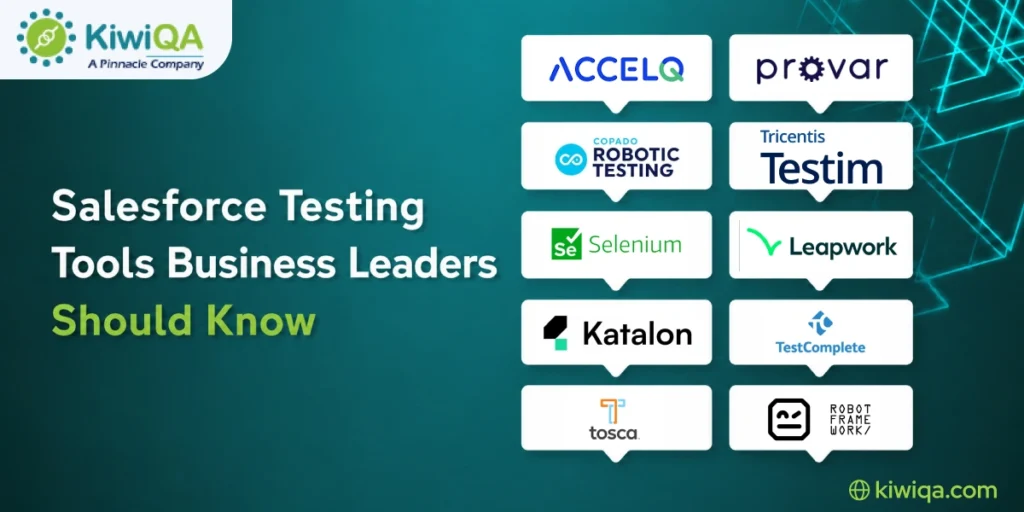
1. ACCELQ


ACCELQ is an AI-powered automation tool that makes test automation easy and aids in Salesforce testing. It can lessen the amount of coding work and make it easier for teams to develop and maintain automated tests. Moreover, it can automate repetitive tasks in Salesforce testing, enhance test maintenance, and accelerate the creation of new tests using its AI capabilities.
⮩ Pros
ACCELQ is very easy to code, allows faster test maintenance, and provides good AI features. The features can assist groups to automate testing without relying too much on conventional programming.
⮩ Cons
The cost of ACCELQ might be higher, and it may take time for users to become familiar with all its capabilities. For companies looking to have modern automation and less coding, it can be an appropriate option.
2. Provar

Provar is a Salesforce testing company that supports automated testing of Salesforce applications and workflows. It’s also Salesforce-focused, which can be beneficial for organizations with complex Salesforce environments. It can assist teams with testing various Salesforce processes, configurations, and user workflows and minimize repetitive manual testing activities.
⮩ Pros
Provar provides Salesforce-native testing capabilities and robust security handling capabilities. Can be used to better handle specialized Salesforce testing needs as a team.
⮩ Cons
Businesses with lower turnover may prefer not to use Provar due to the higher licensing fees. It may be a viable solution for companies that are seeking specialized AI-powered Salesforce testing tools.
3. Copado Robotic Testing

Copado Robotic Testing is used to enable automated testing in Salesforce DevOps workflows. It puts teams in sync with activities across testing, development, deployment, and release. It can help to automate tests across the Salesforce delivery process and resolve issues before they impact production.
⮩ Pros
It offers robust DevOps integration and enables continuous testing. It can also help automate important testing activities during Salesforce releases.
⮩ Cons
Copado Robotic Testing might be best for businesses that are already using Copado. There may be a need to consider the overall fit of Copado for organizations outside the Copado ecosystem prior to adoption.
4. QMFactory

⮩ Overview
QMFactory is a centralized test management and delivery platform from PinnacleQM. It helps teams design test coverage, build and store test assets, manage testing activities, and monitor progress through reports and real-time dashboards. It can also integrate with other automation tools and CI/CD workflows to support more consistent test delivery.
⮩ Pros
QMFactory supports Agile, DevOps, and Waterfall delivery approaches, centralized reporting, reusable test assets, manual and exploratory testing, and integration with CI/CD pipelines.
⮩ Cons
Some integrations, migrations, deployment configurations, and custom reporting requirements may require support from PinnacleQM’s technical team.
5. Enginuity

⮩ Overview
Enginuity is an AI-powered test automation platform designed for development and testing teams. It uses natural-language, no-code test instructions and supports automated testing across application interfaces, APIs, integrations, and end-to-end workflows. Its virtual testers can also scale test execution for continuous delivery environments.
⮩ Pros
Enginuity reduces dependence on traditional coding, supports reusable test components, integrates with CI/CD workflows, and uses AI-assisted capabilities to reduce maintenance when applications change.
⮩Cons
Initial configuration and machine-learning setup may require technical support, particularly for complex enterprise environments.
6. Tricentis Testim

Tricentis Testim offers AI-driven test automation for web applications, such as Salesforce. It aims to make the creation and maintenance of tests easier. It features automation features that can support teams in developing reusable tests, minimizing repetitive tasks, and working collaboratively on Salesforce testing activities.
⮩ Pros
Testim is easy to maintain, has excellent collaboration features, and has AI-assisted features. These features can be used to help teams that want to adopt contemporary and manageable test automation.
⮩ Cons
Higher-level plans may be needed for some advanced features. Before selecting the platform, businesses need to evaluate the features and pricing options in comparison to their testing needs.
7. Selenium

Selenium is a web application automation testing framework that is open source. It can be used with appropriate technical development to support Salesforce UI automation and offer a lot of flexibility. Because it is open source, teams can customize their testing framework and integrate Selenium with different development and CI/CD environments.
⮩ Pros
Selenium is free, flexible, and has an extensive ecosystem. For technical teams looking for more autonomy over their automation framework, it may be a good option.
⮩ Cons
Selenium demands programming abilities and may be more demanding to maintain. When flexibility and technical control are key, it is regarded as one of the best Salesforce testing tools.
8. Leapwork

In Leapwork, visual automation is employed to generate automated tests without traditional coding. This visual approach can improve the process of test creation for technical (and business) users. It can enable the automation of repeatable Salesforce workflows and facilitate teams to minimize manual testing while streamlining the automation process throughout departments.
⮩ Pros
Leapwork is available to business users and offers visual test creation. Automating repetitive Salesforce processes is another use for it.
⮩ Cons
When assessing Leapwork, take into account the licensing fees. May be appropriate for organizations that wish for business and technical teams to be involved in test automation.
9. Katalon Studio

Katalon Studio is a tool that facilitates automated testing for web, API, mobile, and other forms. It is very versatile and can be beneficial in Salesforce applications linked to other applications. It can be used by teams to manage the various testing needs on a single platform and to develop automation that spans Salesforce and related systems.
⮩ Pros
Katalon Studio is easy to get started with, supports a wide range of testing scenarios, and provides simple entry points. It can help enterprises that desire to have a single platform for multiple testing needs.
⮩ Cons
Additional features are available with paid plans. For companies looking for a comprehensive automation platform, Katalon can be part of their Salesforce testing tools list.
10. TestComplete

TestComplete is a universal automated testing platform that can be used with various application testing needs and various scripts. It can be used to build repeatable automated tests and to test various application flows. It’s scriptable, allowing technical teams to create tests according to their Salesforce testing requirements.
⮩ Pros
TestComplete supports a variety of scripting languages and provides wide automation possibilities. Because of its reusable test capabilities, it may assist groups in cutting down on repetitive test duties.
⮩ Cons
A Windows-oriented workspace may impact its usability for companies with various technology configurations.
11. Tosca

Tosca is an enterprise test automation platform, optimized for large and complex testing environments. It is suitable for wide-range application testing and potentially for organizations that have a high level of automation requirements. Its enterprise capabilities support larger teams to manage testing for Salesforce and connected business applications.
⮩ Pros
Tosca has good enterprise features, wide application support, and model-based testing. These characteristics could make it applicable to big organizations that have complicated testing demands.
⮩ Cons
For smaller organizations, Tosca can be costly. For large enterprises, it could be one of the best Salesforce testing tools that they have when they require a broad enterprise testing solution.
12. Robot Framework

The Robot Framework is an open-source robotics framework that can be expanded with libraries based on the various requirements of tests. It offers flexibility for technical teams to create their own customized automation. Teams can adjust it to other Salesforce workflows and also connect it to other devices according to their testing and development needs.
⮩ Pros
The Robot Framework is cost-free, flexible, and has a wide ecosystem for teams looking to have more flexibility in how they approach automation.
⮩ Cons
The framework needs technology expertise and could involve development resources to set up. It can be an appropriate replacement for technical teams that are looking to avoid a dedicated commercial platform.
An AI-powered Salesforce testing tool approach may also apply to automation that leverages intelligent or AI features to develop, keep, or analyze tests.
How to Choose the Right Salesforce Testing Tool
⮚ Understand Your Salesforce Environment
Carefully analyze your Salesforce environment before choosing a Salesforce testing tool. Take into account the number of Salesforce clouds, level of customization, third-party integrations, number of users, complexity of business workflows, etc. By knowing these, the testing capability that is needed can be identified.
A good Salesforce testing service provider can perform the necessary evaluation of the environment and determine the areas that require maximum automation. This can assist companies in picking the tool that’s most suitable for their Salesforce environment, without simply opting for the one with the most popular features.
⮚ Define Your Testing Requirements
It is important for businesses to know what constitutes the most important types of tests, such as functional testing, regression testing, integration testing, API testing, and performance testing. Requirements that are clearly stated make it easier to compare various tools and avoid having to pay for functionality you don’t need.
Not all of the testing capabilities are required in all organizations at the same level. Thus, the testing should be used to inform the choice of the appropriate tools and narrow down one’s focus to maximize value.
⮚ Evaluate Automation Capabilities
Explore the features of the Salesforce testing tool that impact productivity, including test creation, test reusability, maintenance, reporting, AI-assisted automation, test data management, and failure analysis. These capabilities can impact whether teams are able to easily build and administer automated tests.
A tool isn’t necessarily the greatest just because it has a lot of functions. It should be useful in solving practical testing problems, while containing no superfluous complexity. Features that make testing more efficient and reduce manual effort should be emphasized.
⮚ Check Salesforce and DevOps Integration
The chosen platform needs to be compatible with the current release process. It is important for businesses to review the support for Salesforce releases, Git repositories, CI/CD platforms, DevOps tools, and automated deployment workflows. With a tight integration, testing can be a part of the development routine.
Good integration can help teams detect defects at an earlier stage, increase release quality, and decrease delays. It also facilitates running automated tests whenever significant Salesforce updates are made.
⮚ Consider Scalability and Total Cost
Businesses should think about more than just licensing expenses when choosing a testing platform. The effort required in implementation, resources for testing, training, long-term maintenance, reporting requirements, and support requirements should also be taken into account.
Technical ability, Salesforce experience, communication, support, and reliability are important factors to consider when choosing a Salesforce testing service provider. As Salesforce workflows, users, integrations, and business requirements increase in size, a scalable solution must continue to meet the needs of testing.
Salesforce-Specific Tools vs General Automation Tools
❒ Salesforce-Specific Testing Tools
Platforms built around Salesforce are intended for use with the Salesforce environment. They can provide a better understanding of Salesforce metadata, easier testing of configurations, lower maintenance for some platform changes, and better support for Salesforce workflows.
In more advanced Salesforce environments, these features can help simplify the use of specialized Salesforce testing tools. They can also help streamline the process of developing and managing Salesforce-specific tests and business processes.
❒ General Automation Testing Tools
General automation tools can be more flexible and used with different applications and technologies. They can prove helpful for businesses testing Salesforce and web pages, mobile apps, APIs, ERP, and other platforms.
But general tools will require more technical skills. There is a need for teams to develop and sustain other automation frameworks to address Salesforce-specific needs as well.
❒ Which Approach Should Your Business Choose?
However, Salesforce-specific tools only make sense when Salesforce is key to the business and tests are primarily related to Salesforce. They can offer specialized functionality and streamline testing for intricate Salesforce processes.
If Salesforce is integrated into a broader technology landscape and the organization has solid automation capabilities, then simple tools may be enough. They provide more versatility in various applications.
For companies that have to test specific Salesforce apps, but also test ERP systems, websites, mobile apps, APIs, and other integrated platforms, a hybrid testing solution might be most effective.
How AI Is Changing Salesforce Test Automation
How teams are creating and maintaining automated tests is being transformed by AI. The modern-day Salesforce testing tools can leverage AI to assist with:
⮱ AI-assisted test creation
⮱ Self-healing automated tests
⮱ Intelligent Test Case Selection
⮱ Automated failure analysis
⮱ Reduced test maintenance
⮱ Predictive risk identification
It’s possible to achieve greater release confidence by using advanced Salesforce CRM testing services that enable a blend of automation and manual testing. When evaluating AI claims, companies should review the specific features of their Salesforce testing tool and determine if they can deliver tangible value.
Also Read: Best Automation Tools for Salesforce Testing in 2026
How to Build a Salesforce Testing Tool Strategy
⮚ Step 1: Assess Existing Testing Processes
Analyze existing tests and look for manual bottlenecks, common defects, repeated tests, slow releases, and production issues that are not being caught. This gives a good basis to begin automation.
⮚ Step 2: Prioritize High-Risk Business Workflows
Emphasize relevant topics like sales, service, revenue operations, customer process, and key integrations. Automating high-risk workflows can provide quicker value.
⮚ Step 3: Select the Right Testing Tools
Find Salesforce testing tools and compare them by testing needs, technical skills, Salesforce architecture, integrations, budget, and future growth. To help confirm the right choice, a proof of concept is a good idea.
⮚ Step 4: Start With High-Value Automation
Start with a regression test, repetitive workflow, critical integration, and high-volume user journey. Increase automation as results get better.
⮚ Step 5: Integrate Testing Into CI/CD
Incorporate automated testing in deployments, regression testing, and release quality gates. This assists teams in identifying problems earlier and promotes release safety.
⮚ Step 6: Measure and Improve
Monitor test execution time, test automation coverage, defect detection, release rate, test cost, and production defects. These metrics indicate if the Salesforce testing service provider and testing strategy are adding value.

Choose Salesforce Testing Tools Based on Business Value
The right Salesforce testing tools need to align with business needs, Salesforce complexity, integrations, and budget. The Salesforce testing tools list includes some specialized and general automation tools.
With the help of reliable Salesforce testing services, you can choose appropriate tools and enhance the quality of your release with an experienced Salesforce testing company. The right Salesforce testing tool features can help to minimize defects, manual effort, risks in the release, and pave the way for long-term growth.