

It’s time to elevate your testing strategy from conventional testing to a smart cross-browser testing approach. As per the report, the testing industry is planning to grow with a 5% CAGR by 2027. Say goodbye to all the compatibility errors & give your users a seamless experience across platforms/browsers. Cross-browser testing validates a website/application that works perfectly on various browsers & devices. Whether you are performing automation or visibility testing, cross-browser compatibility testing gives a reliable approach.
The interpretation of render code varies based on the browser & devices. It can lead to issues like layout problems, security errors, errors in functionality, etc. Cross-browser testing tools assist in identifying & fixing the errors before the product goes live. It ensures that users achieve a seamless output.
Additionally, startups & enterprises have different needs because of variation in resources, timelines, speed & cost-effectiveness, infrastructure, and long-term support. In this guide, we’ll help you become aware of the modern tools for compatibility testing services. We’ll also discuss the key features & factors to consider when choosing a compatibility testing tool.
What is browser compatibility testing?
Definition and Scope
Cross-browser software compatibility testing is the method of verification that the web app functionality works consistently across web browsers & devices. The testing approach ensures the app’s design, performance & functionality remain constant when accessed in various browsers & devices. Here, compatibility testing validates multiple aspects of software behavior across environments, whereas cross-browser testing deals with multiple browsers.
By performing compatibility testing, businesses can support their applications that run on multiple OS, device types, browser versions, hardware capabilities, network conditions, etc. At the same time, cross-browser testing by a compatibility testing company checks even the web app functions across various web browsers, validates the UX, visual aesthetic & functioning.
➥ Ensures websites/web apps render and function consistently across:
● Different browsers (Chrome, Firefox, Safari, etc.)
There are various browser types & combinations of OS, and approaching a website/application testing ensures the product contains no errors. The testing approach limits the testing team to running tests frequently.
● Browser versions
Web browsers frequently receive updates. There are popular browsers with different versions. Testing on various browser versions is necessary for enhanced functionality & features that contain bugs.
● Operating systems and devices
Browser compatibility testing validates that your product is compatible with a wide range of web browsers, OS, & devices. The tool allows testing on multiple OS available in the market. It also offers access to a wide library of simulators/emulators for testing on various hardware configurations.
Why It Matters?
➥ Enhances user experience
Now, every user expects a flawless experience in any browser they access your website/application. Browser compatibility testing validates that your website functions well, no matter which version of browser you are using. By adopting practices of browser compatibility testing, businesses can foster positive user experience, drive satisfaction & user engagement.
➥ Reduces bounce rates
Browser compatibility testing helps to limit the bounce rate by verifying a consistent & positive user experience across various browsers/OS/devices. The stringent testing by a compatibility testing service provider encounters errors in your product and limits the number of users who can leave your site.
➥ Improves accessibility and SEO
Users receive the best results from search engines, and websites with excellent user experiences are ranked higher. You’re checking off a critical item on the SEO checklist by making sure your website works properly in every browser, which might increase its exposure and draw in more natural visitors.
➥ Helps ensure consistent branding
Compatibility testing ensures an identical user interface across various devices, OS, and browsers, which helps to ensure consistent branding. This keeps customers from having bad experiences, which can harm a brand’s image, and guarantees that the application works as designed for all users, irrespective of the platform they use.

Key Features to Look for in a Compatibility Testing Tool
● Cross-browser and cross-platform support
When you look for compatibility testing tools, make sure the tool supports cross-browser & cross-platform compatibility. The tool must support Firefox, Chrome, and Safari, along with older versions. It must be accessible on various OS such as Windows, macOS, Android, etc. It must offer accurate support for both emulators/simulators & real devices.
● Real device testing vs. emulators/simulators
The tool you choose offers an accurate representation of how an app behaves on a user device, such as hardware, performance & UX. Select a tool that supports quick setup & execution that is useful for early-stage development & debugging. It must have the ability to simulate multiple device configurations effectively.
● Automated and manual testing capabilities
The compatibility testing tool you choose should support automated/manual testing capabilities. The tool must support multiple frameworks/languages. The tool must approach data-driven testing & the potential to offer transparent analytics & reporting. It must support team collaboration, be easy to use & scalable.
● Integration with CI/CD pipelines
The compatibility testing tools must integrate smoothly with the existing CI/CD pipelines to verify an automated cohesive workflow.
● Performance and load testing
A consistent user experience depends on the speed of an application and its stability, which might vary greatly across situations. For this reason, compatibility testing tools must include both performance and load testing.
● Visual testing capabilities
In order to provide a consistent user experience across various platforms and devices, visual testing skills are essential for compatibility testing since they assist in identifying tiny but significant UI discrepancies that functional tests could overlook. By minimizing possible usability problems and improving user satisfaction overall, this feature enables teams to confirm that the app’s visual aspects, including layout, colors, and fonts, look as intended.
● Collaboration and reporting tools
Always search for browser compatibility testing tools that offer insights into performance aspects such as error rates, resource utilization, output time, throughput, and performance identification. Additionally, seamless integration with the existing tools is also recommended when looking for a testing tool. For efficiency & performance analytics, the tool must have potential for a version control system, & monitoring rules.
● Scalability and support
The tools for compatibility testing in software testing must be able to simulate a real-time amount of concurrent users & transactions. It must simulate the app demand & traffic. It allows distributed testing if required. Ensure the tool supports the specific protocols & technologies utilized by the app to simulate user interactions.
Also Read: Cost, Speed, and Quality: Core Benefits of Outsourcing Mobile App Testing
Top Tools for Browser Compatibility Testing
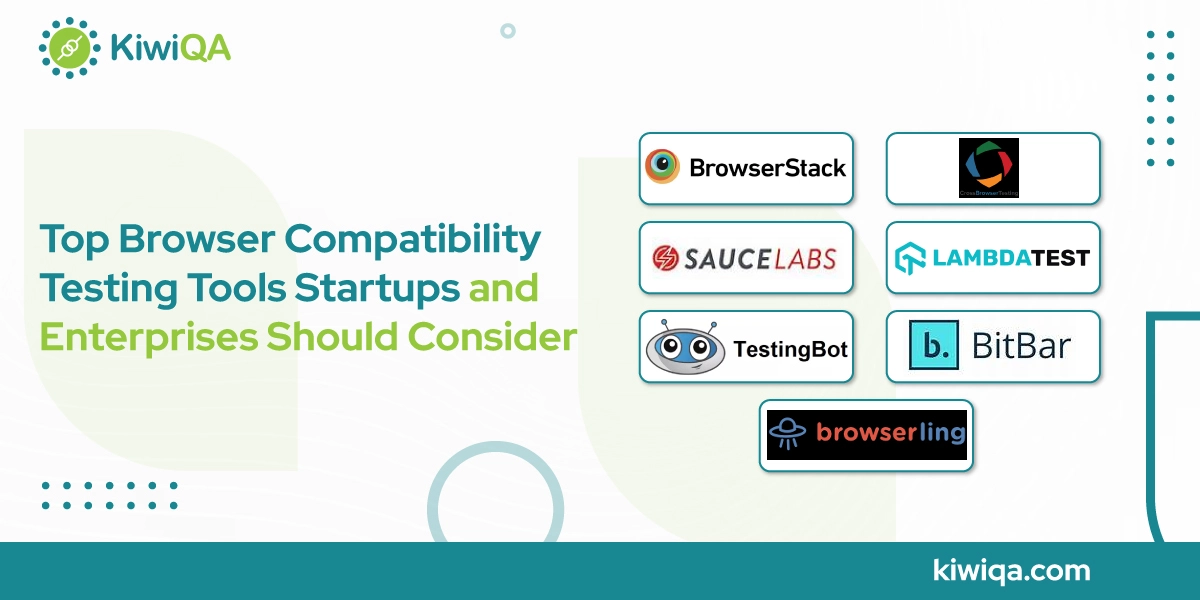
1. BrowserStack

BrowserStack is a cross-browser, cloud-based testing tool for testing browser compatibility, handling more than 2 million tests on a daily basis. It has potential for testing websites/applications across various web browsers/devices. The tool validates the functionality and compatibility of testing that drives complete product quality. If you want to give users access to a vast array of real devices/browsers, performing this test is crucial.
Thanks to this advanced tool that allows 50K+ customers to drive their software delivery. It supports manual & automated testing for apps & websites, ensuring scalability. BrowserStack allows customers to run an extensive range of tests, allowing thorough coverage & reliable outcomes.
The ability to seamlessly integrate with CI/CD tools & test automation frameworks such as Selenium, Cypress, and Appium drives testing effectiveness, making it a go-to solution for all developers & QA testers. The tool is ultimately getting popular for its faster speed & accuracy in its testing workflow! It has both free & paid pricing models. The paid prices start from $29/month. The tools are best used for large Enterprises, QA teams, and DevOps pipelines.
2. CrossBrowserTesting (by SmartBear)

CrossBrowserTesting by SmartBear is a cross-browser testing tool that is designed for cross-device & cross-browser testing. The tool allows users to perform automated, live & visual functional UI testing on a wide range of browsers/real devices. The tool has access to a wide array of real mobile/desktop web browsers/OS for comprehensive testing. The tool allows taking screenshots & video recordings of tests for visual verification. To streamline the testing workflow, it allows compatibility with various deployment & collaboration platforms. This debugging tool is best for medium to large teams needing flexibility.
3. Sauce Labs

The following cloud-based platform facilitates the automation testing for both web/mobile apps. The browser compatibility testing tools offer a vast selection of virtual devices/browsers, allowing the QA team to test their product on multiple environments. Additionally, it is a scalable, user-friendly platform for continuous integration. It delivers professional services like training & onboarding in Selenium & Appium.
Thanks to its robust architecture, which makes it a perfect option for effective testing, it gives coverage for both performance & functionality testing. It allows users to access the test in the cloud across more than 700 combinations of platforms, OS, browsers, and devices. It supports both manual/automated testing. Users can automate an app on cloud-based devices for conducting tests across multiple browsers/devices/OS/emulators & simulators.
Further, it seamlessly integrates with Appium, Jenkins & Selenium. A free tool perfect for Enterprises with complex test environments. Some common features of this tool are browser matrix, live testing accessibility, ease of performance insights, seamless integration with CI/CD tools, and the potential to deliver comprehensive report documentation.
4. LambdaTest

Developers can test their websites and apps across many browsers, devices, and are using LambdaTest, a cloud-based cross-browser testing platform. With more than 10,000 actual devices, browsers, and OS combinations, it enables you to conduct automated and manual tests at scale.
Both locally & accessible websites may be tested using the dynamic and interactive cross-browser testing. Even live interactive testing in actual browser contexts is possible. Among the many capabilities this platform provides are responsive testing, live testing, and interaction with well-known development tools.
The tool is equipped with a one-click bug logging feature that streamlines the process of bug management. It seamlessly integrates with tools like Trello, TeamWork, Slack, Jira, and more. The tool is best for entrepreneurs who want to scale their business. This comprehensive testing tool has both free and paid pricing modes. You can start with the earlier monthly plan for $25.
5. TestingBot

The tool offers a cloud-based Selenium & Appium grid for testing apps/websites. You have access to over 2000 browsers & devices that you can quickly start utilizing automation & live testing. The QA team can automatically take screenshots of web pages on browsers. It has competitive pricing models for smaller teams. Startups with automation needs can also prefer this tool. For both automatic and manual app testing, test on real-time Android & iOS.
Real-time access to iPhones, iPads, Android smartphones, and Smart TVs is provided by the TestingBot device testing. The tool allows parallel testing, AI-powered testing, and live website testing. It can seamlessly integrate with the CI/CD pipelines for continuous testing. Integrating this tool in your testing approach delivers extreme benefits such as faster testing, quicker accuracy, increased efficiency, improved user experience, and quicker bug detection.
6. BitBar

BitBar is another cloud-based browser tool that enables developers to track their websites & apps on a wide range of browsers/devices/OS. The tool has an easy interface & potential to integrate with the popular development tools like Travis and Jenkins. BitBar offers advanced enterprise features such as dedicated VPN, SSO, priority support, and configured device cleanup.
With the user-friendly interface & emphasis on visual testing, BitBar is an excellent option for UI testing & bug addressing. The tool is best for developers who are looking for quick & easy testing of products across various environments. Thanks to its simple interface & integration capabilities that turn this tool into an exciting choice.
Use this testing tool at no cost; however, paid plans are also available, starting from $19/month. The tool is easy for quick screenshot-based testing & limited interactive features with no sign-up required for basic usage. The tool is best for designers, marketers, or quick visual checks.
7. Browserling

A cross-browser testing tool called Browserling runs tests on actual PCs and browsers. Instead of utilizing emulators or false browsers, it uses its own servers on virtual machines to run actual desktop browsers. In any browser, testers are able to take, save, and distribute screenshots of their webpages.
This is also how you may annotate them and report bugs. Additionally, its budget-friendly features, no setup required, lightweight, and ease of use make this tool a go-to tool for the QA team. It has the potential to perform live testing on real browsers & is best for Freelancers and small dev teams.
The tool supports a wide range of browser versions & OS, allowing compatibility across diverse user environments. Users can capture screenshots & share them without any additional installation. The integration with popular development tools & faster error detection, and the ability to record browsing sessions are some more traits of this tool.
Also Read: Choosing a Mobile App Testing Company in the USA: Key Players and Their Strengths
Factors to Consider When Choosing a Tool
Testing is a vital aspect to achieve success in an SDLC project. Since there are a multitude of browsers/devices & OS, it’s difficult to ensure that your users know your product is compatible with each device. This is when cross-browser compatibility testing plays a key role. By using this approach, a business can ensure it delivers a better user-satisfaction rate. Here we have described a quick summary of factors to look for in testing tools for both startups & enterprise businesses.
For Startups
➥ Budget constraints
When selecting a tool, check for the budget limit along with the features it offers. Choose one where you get the best value, if used long-term for multiple projects.
➥ Ease of use and quick setup
When finding a tool, ensure the tool is easy to use and scalable. It must offer quick setup functionality. Tools with user-friendly features and easy navigation are mostly preferred by the QA testing team.
➥ Integration with existing tools
The compatibility testing tool must have the potential for seamless integration with 3rd party testing tools for CI/CD, project management, and codeless automation to allow speeding up the testing journey.
For Enterprises
➥ Scalability and team collaboration
If you are an owner of an enterprise business, you have quite a good budget to hire top browser compatibility testing tools. So, look for a testing tool that is scalable in nature and has the potential for collaboration with the team.
➥ Security and compliance
The tool must meet the current industry standards of testing. It must have security features & be regulated to comply with regulations to ensure users’ safety.
➥ Advanced test automation support
The best browser compatibility testing tool must have an active development & support team. Committed to staying with the current industry-required advanced test automation support.

Ready to Get Serious About Browser Compatibility? Let’s Build It Right
Testing is the crucial step in SDLC that verifies the product works seamlessly across every platform. Cross-browser testing for product compatibility acts as the key to achieving success. There are many tools for browser compatibility testing available for cross-browser testing, but here we have discussed a few.
Ensuring the product is compatible is not a responsibility but an act of embracing the wider version of user inclusivity. An accurate testing tool simplifies the workflow & elevates the quality of the website & application. This guide helps you to pick a tool according to the project goals & budget limitations.
The following tool will continue to evolve with the passing years. So, first, emphasize the requirement to select a tool based on team size, budget, and requirement. You can take assistance from the compatibility testing company experts for early testing in the SDLC.